
-2.png?width=1200&height=630&name=MVPBanner%20(1200%20x%20630%20px)-2.png)
Speakers
Community

Most of us know Copilot as the handy assistant that helps with writing, summarising, and pulling info together. Now imagine AI that doesn’t just assist—it takes action. These new “Agents” can dig into our files, emails, and meetings to understand the context and actually complete tasks for you. Think compliance checks, onboarding workflows, or even personalised sales processes—all automated. Picture it: it will be able to update your forms and spreadsheets FOR YOU!
The best part? Microsoft also gives YOU the ability to create and deploy these Agents – and some pretty thick icing on the cake: Agent Mode will be included with Microsoft 365 at no extra cost. Even if you don’t have a Copilot licence, you’ll still get access. Huge!
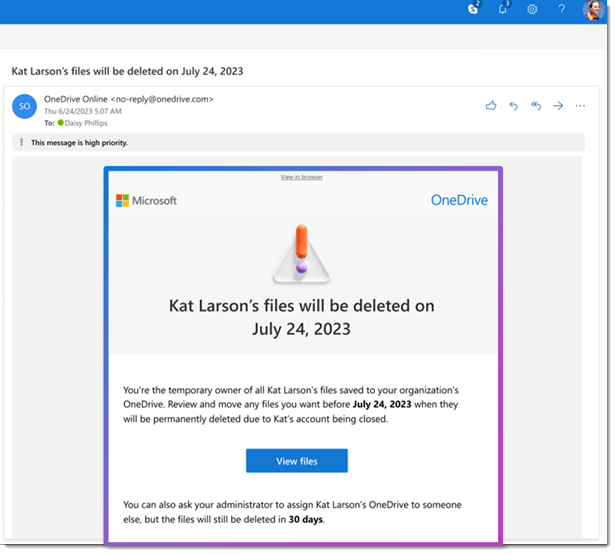
While this update is a big step forward, it’s still a good idea for organisations to review their offboarding processes. Not every file in a departing user’s OneDrive will be relevant, so a quick audit can help ensure only necessary documents are retained or transferred. One possible downside is that managers may suddenly find themselves with access to a large volume of files, some of which may be personal or irrelevant. Setting clear guidelines on what to keep, archive, or delete can help avoid information overload.
It’s also helpful to communicate these changes to your team ahead of time, so everyone knows how shared files will be handled. From an IT perspective, this update reduces the manual workload involved in recovering or reassigning files, freeing up time for more strategic tasks.
You’ll have the option to “Move and keep sharing”, so you can relocate multiple files while retaining existing sharing permissions—no more broken links or lost access!