Skip to content
Productivity Leadership

Loop It or Leave It: Teams’ New Tabs Explained

Shannon Donovan
Shannon Donovan

If you use Teams to chat or share things with your group, you might notice new tabs popping up in each channel. Here’s what’s going on—and what I think about it.

What’s New?

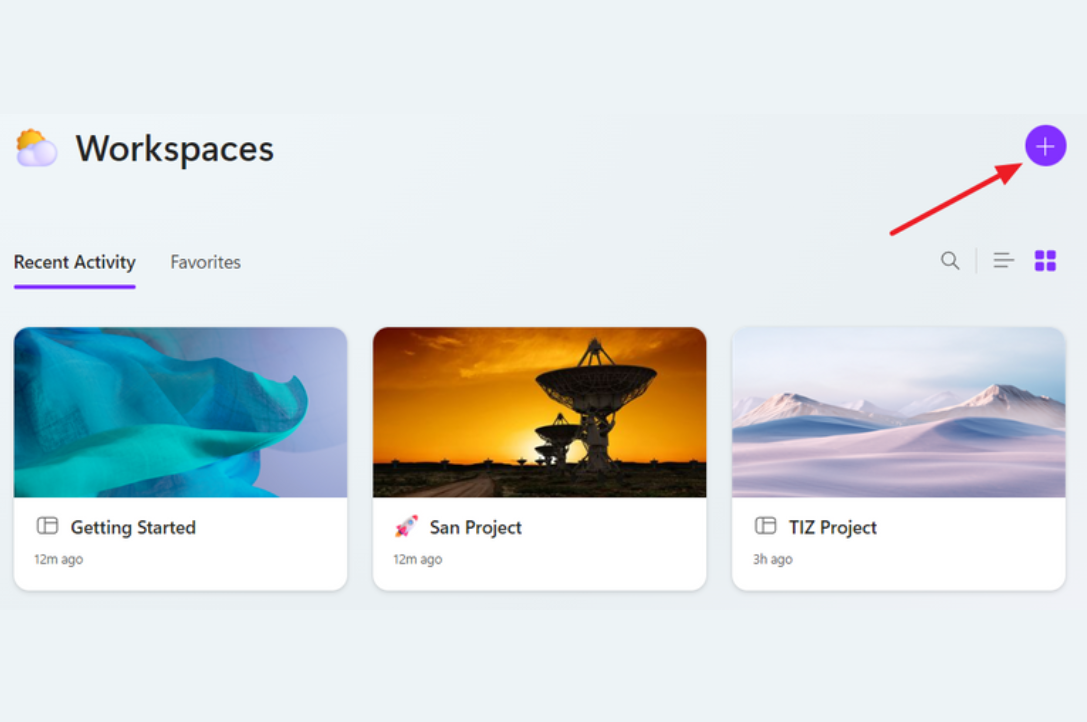
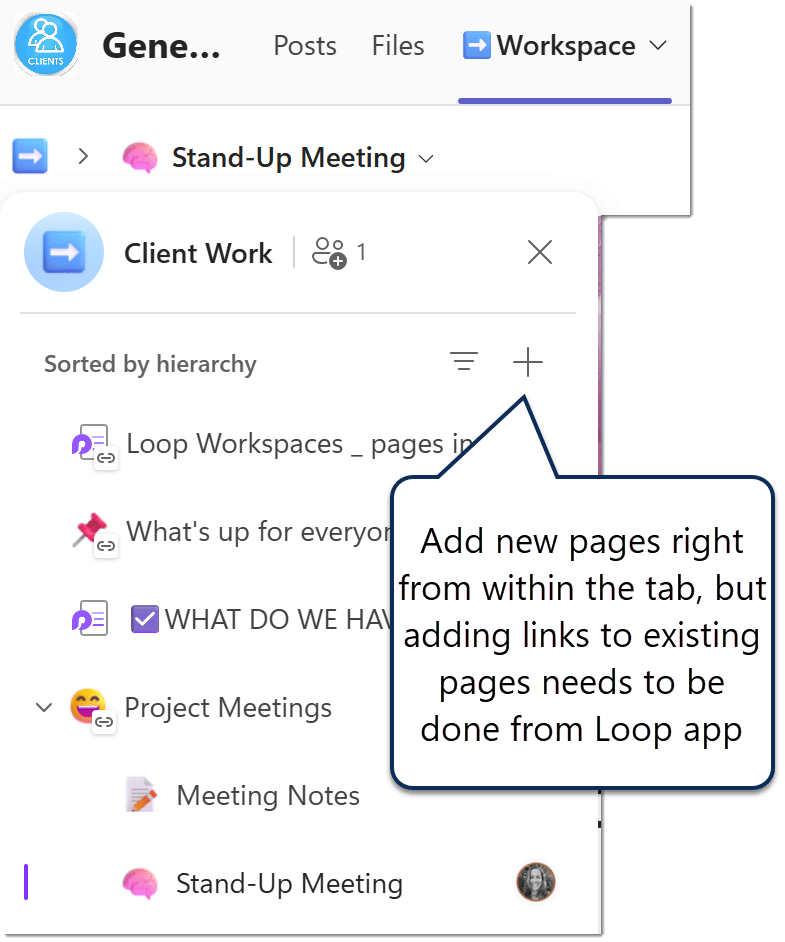
First, you can now add something called a “Loop workspace” right into a Teams channel. Think of a workspace like a big folder where you keep all your loops for that group. Workspaces in Loop are not new, but by adding it as a tab we no longer have to jump to the Loop app to find a workspace, you can open the workspace right from your Teams channel and see everything in one place. 
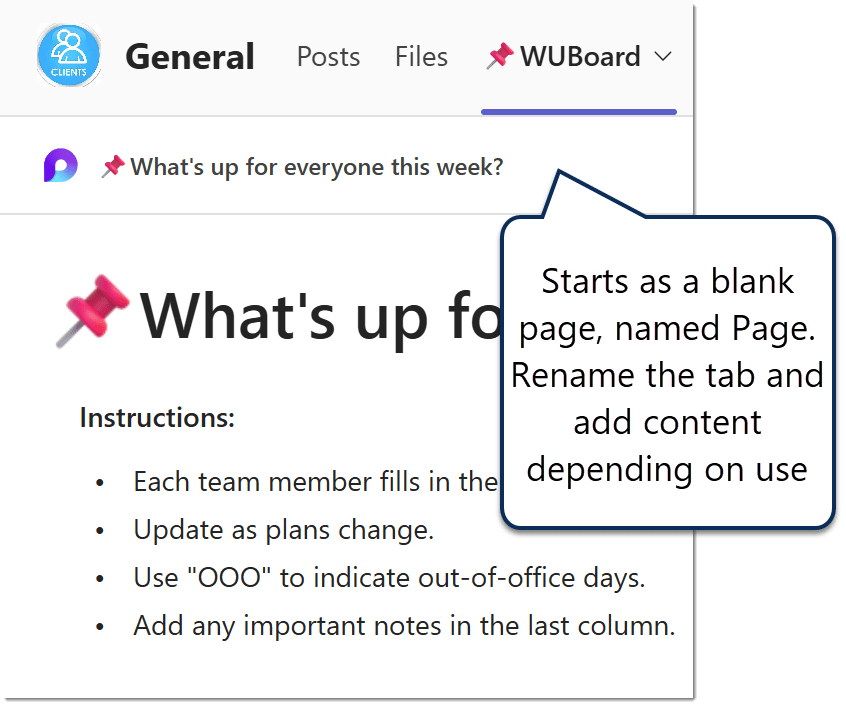
Second, Microsoft is now automatically putting a Loop page tab in every Teams channel. You don’t have to set this up—it just appears. This page is a spot where you and your group can write down ideas, keep lists, or share notes, and it’s saved in the channel’s files so it’s easy to find.
Why Did Microsoft Do This?

Microsoft says they want to make it easier for people to work together without having to stop what they’re doing and switch between lots of different programs. Their goal: “bring collaboration closer to where teams already work, reducing context switching and making information more discoverable.” In plain English, they want to help us keep everything together and make it easier to find what we need.

What I Like About It

  • The new workspace tab means you can keep all the Loops for your channel in one place, so you don’t have to hunt around to find them (and Loops can be linked in more than one workspace).
  • You can open and use the workspace right inside Teams, without needing to go to another app.
  • These workspace tabs could help tidy things up by putting lots of pages and notes into one tab, instead of having a long row of separate tabs (eg embed Planner on a Loop page in the Workspace instead of as a standalone Planner tab)
  • The automatically added “Page” tab is saved with your channel files, so you know where to look for it – and it can be shared with people like any other file in your Team.

What I Don’t Like So Much

  • You get a page tab in every standard channel whether you want it or not. If you try to delete it, Teams just puts a new one right back in its place.
  • You can’t make that automatic page tab point to a page you already made. You can add another tab for your own page, but the automatic one stays put.
  • Whenever you add a workspace tab, Teams always makes a brand new workspace. You can’t link to one you already have.
  • Workspaces made this way are only shared with people in your team. You can’t invite extra folks to see them.
  • The workspace gets the same name as your channel. You can change the name, but only if you know where to look (it’s done in the Loop app, not Teams).
  • The ‘add tab’ experience has changed as well – hiding all the other tab types under ‘Apps’.  For users who are not using Loop, I fear they will end up lost and confused because they click ‘new page’.  Not every Team wants to lock down the adding of tabs to just Owners!

Wrapping Up

These changes are supposed to make working together simpler and keep everything organised. That’s nice, but it does mean Teams is deciding some things for us, and we don’t get much say in how it works. And not all Teams users are Loop users.

If you like the idea of organising Loops in one spot, you’ll probably find it helpful. If you want more control over your tabs and pages, you might find it a bit frustrating.

Share this post